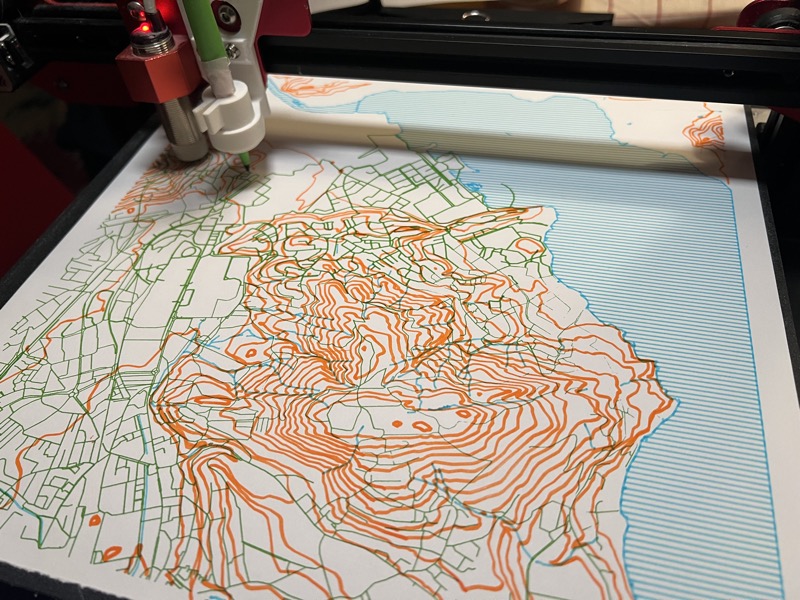
Plotter
I got into pen plotting after realizing my 3D printer already has most of what you need — precise XY movement, a controller that speaks G-code, and a big flat bed. All that was missing was a pen holder and some software to drive it. This was a collaboration with Mike Hill, built with Claude AI as a coding assistant.
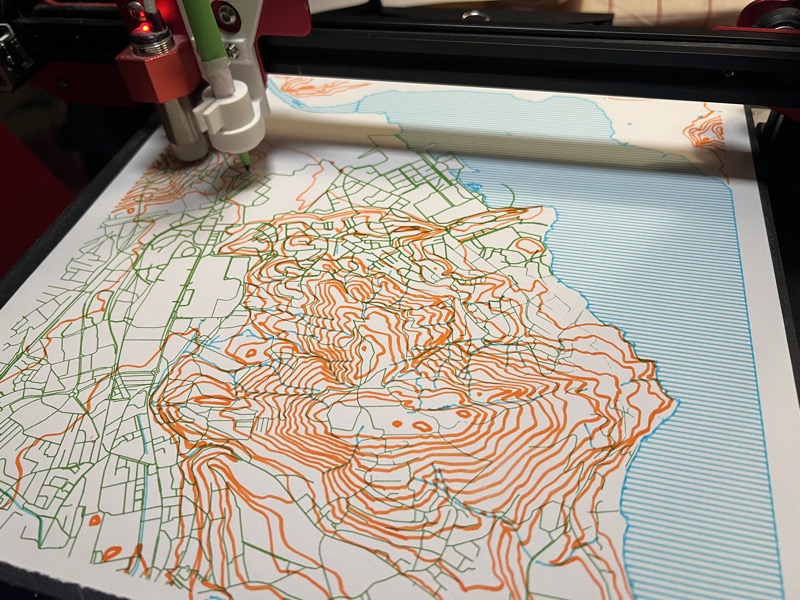
Turn a Marlin-based 3D printer into a pen plotter with a web UI, serial control, and SVG import.
Plotter is a Python web server that talks to a 3D printer over serial and turns it into a pen plotter. It serves a browser-based control panel where you can load SVG files, preview and scale them to fit the bed, and send the paths to the printer in real-time. The pen is raised and lowered by moving the Z axis.
The focus was on making something that works well with complex SVGs — files with 100K+ paths that would freeze a browser if loaded naively. The server preprocesses SVGs before sending them to the client, and uses spatial-grid path optimization to minimize pen travel. Commands are batched and flow-controlled using Marlin's ok-based protocol.
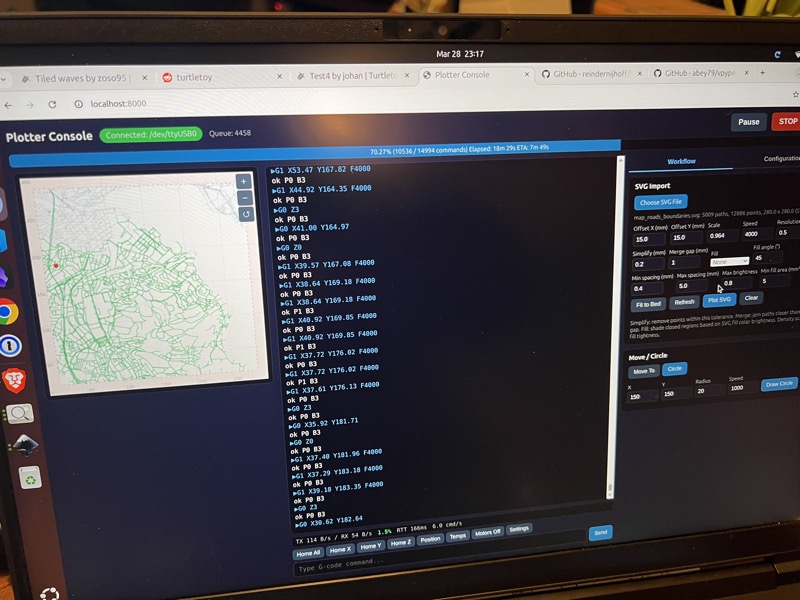 The web UI with serial console, SVG preview, and plotting controls.
Hardware
The setup is a Creality CR-10S Pro with the hotend removed and a 3D-printed pen holder in its place. The holder is spring-loaded so the pen pressure stays consistent across the bed, and it accepts standard pens, markers, or pencils.
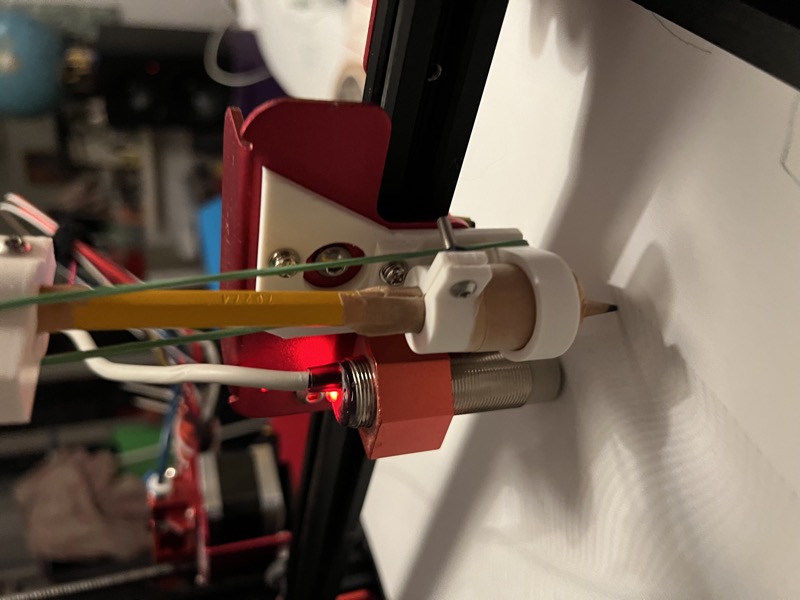
It took a few iterations to get the holder right — the spring tension, pen angle, and quick-release mechanism all needed tweaking.
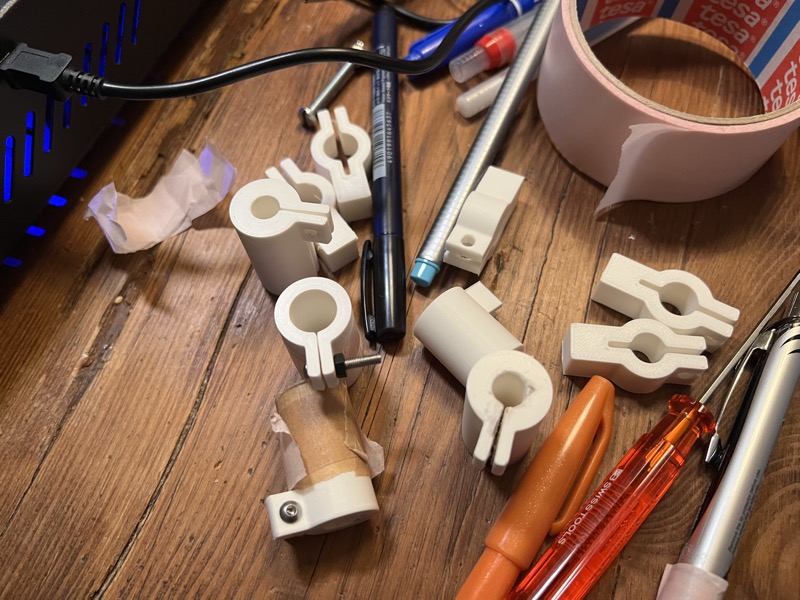 Pen holder prototypes. The final version uses a compression spring and a thumb screw.
Features
- Serial console with live printer output and throughput stats (TX/RX bytes/sec, saturation, RTT)
- Pen up/down with adjustable Z heights
- SVG import with preview, scaling, and fit-to-bed
- Fill and shading for closed paths — hatch, crosshatch, and dot patterns with brightness-based density
- Circle drawing using native G2/G3 arc commands
- Emergency stop and serial reset
- Path optimization to reduce pen-up travel time
Artwork Tools
The repo includes standalone generators for creating plotter-ready SVGs:
- Perlin landscapes — layered noise-based terrain, adapted from turtletoy.net
- Beatles typography — a wandering-ribbon poster generated from lyrics using a single-stroke plotter font
- Calibration grids — test patterns for tuning shading density and pen settings
- Map conversion — converts swisstopo GeoPackage geodata layers to SVG for plotting real topographic maps
Example Outputs
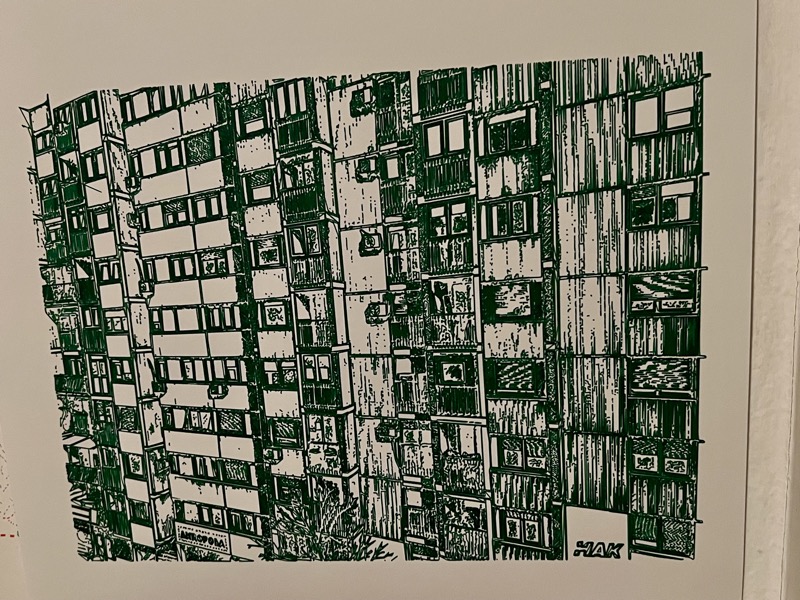 |
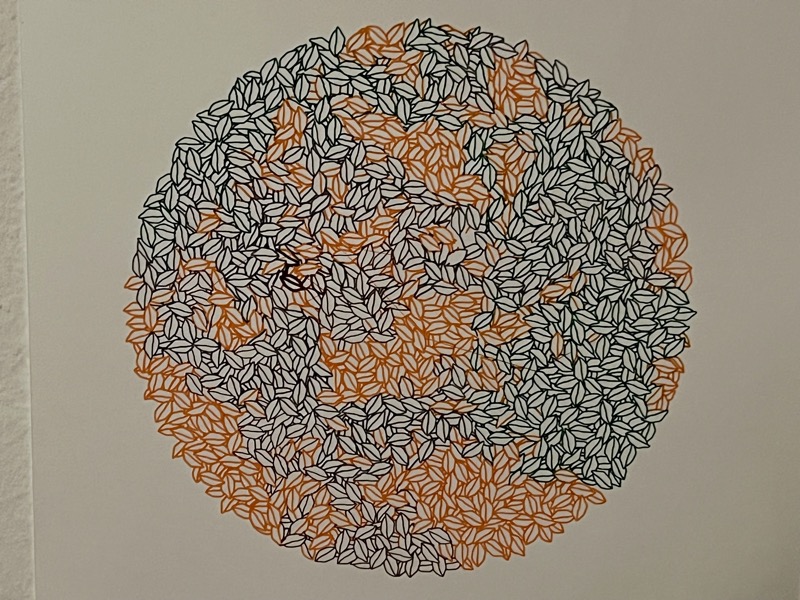 |
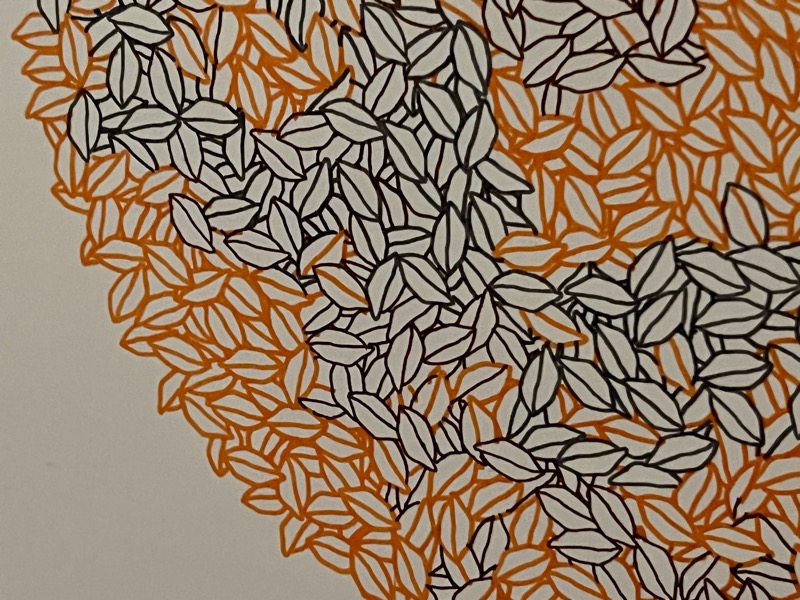 Detail of a leaf-circle plot showing the fill pattern at close range.
- Source: github.com/somebox/plotter